How to Send Teltonika Telemetry to a Custom TCP Server
A practical guide to receiving Teltonika telemetry on a custom TCP server - IMEI handshake, Codec8 parsing, ACK format, and how to test without hardware.
Teltonika devices connect to any TCP endpoint - not just cloud platforms. If you're building your own tracking backend, here's how the connection works and how to get data flowing with or without physical hardware.
How the Connection Works
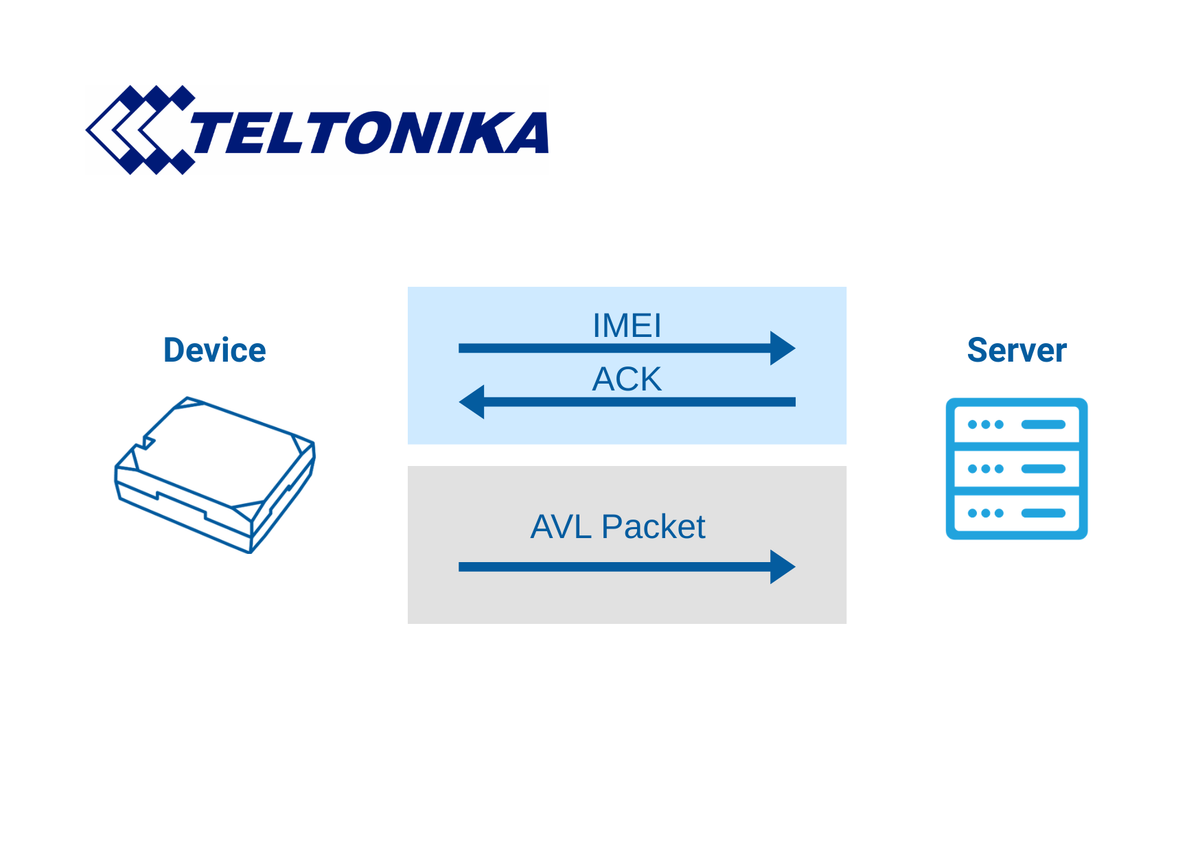
Teltonika devices initiate the TCP connection. Your server listens; the device connects, sends data, and waits for acknowledgement. Communication happens in two phases:
Phase 1: IMEI handshake
The device sends its 15-digit IMEI as a plain text string. Your server responds with 0x01 to accept or 0x00 to reject.
Phase 2: Data exchange
The device sends AVL data in Codec8 or Codec8 Extended binary format. Your server parses each packet and responds with a 4-byte acknowledgement containing the number of records received.
Configuring a Physical Device
In Teltonika Configurator, set the server address under GPRS settings:
- Domain - your server's IP or hostname
- Port - the TCP port your server listens on (commonly 5027)
- Protocol - TCP
You can configure a primary and a backup endpoint.
What Your Server Must Handle
1. Accept incoming TCP connections
2. Read the IMEI string and respond with 0x01
3. Parse incoming Codec8 binary packets
4. Respond with a 4-byte ACK (big-endian record count)
5. Handle disconnections and log errors
Testing Without a Physical Device
Manually crafting binary Codec8 payloads is error-prone. Telemify handles this directly: configure a virtual device with your server's host and port, and it performs the full IMEI handshake and sends real Codec8 telemetry - exactly as a physical device would. You can build, test, and debug your entire server implementation in software from day one.
Common Implementation Mistakes
Firewall or load balancer blocking the port - the most common first stumbling block when testing remotely.
Wrong ACK format - the ACK must be exactly 4 bytes, big-endian record count. Wrong values cause retransmission loops.
Parsing IMEI as Codec8 - the handshake is a distinct phase. Don't feed it to your packet parser.
Skipping CRC validation - works in development, causes silent corruption in production.
Try Telemify for free 👉 https://telemify.io