Coban TK103 on Traccar: GPS103 Setup, OBD Data and the Odometer Fix
Set up Coban TK103 trackers on Traccar with the GPS103 protocol on port 5001, read their OBD data and fix the odometer that shows 1000 km as 1 km.
Coban trackers - the TK103-2B, GPS-103, GPS303 and TK303 series - report over the GPS103 protocol, which Traccar decodes on port 5001. Setup is quick, but there are two traps: a model name that doesn't tell you the protocol, and an odometer that arrives a thousand times too small.
"TK103" Is a Model Name, Not a Protocol
Hundreds of trackers are sold as "TK103", and they don't all speak the same language. Traccar's clones page lists GT06, H02, GPS103 and TK103 as candidates for such devices, and even Coban's own TK103A and TK103B use the TK103 protocol on port 5002. This guide covers GPS103 on port 5001.
Set Up Traccar
Add a device with the tracker's 15-digit IMEI as its identifier, and make sure TCP port 5001 is open (Docker setup guide).
One thing to know: Traccar answers the login with LOAD and heartbeats with ON even for devices it doesn't know. A device that looks connected isn't proof that it's registered - check that positions actually appear.
Emulate a Coban Tracker
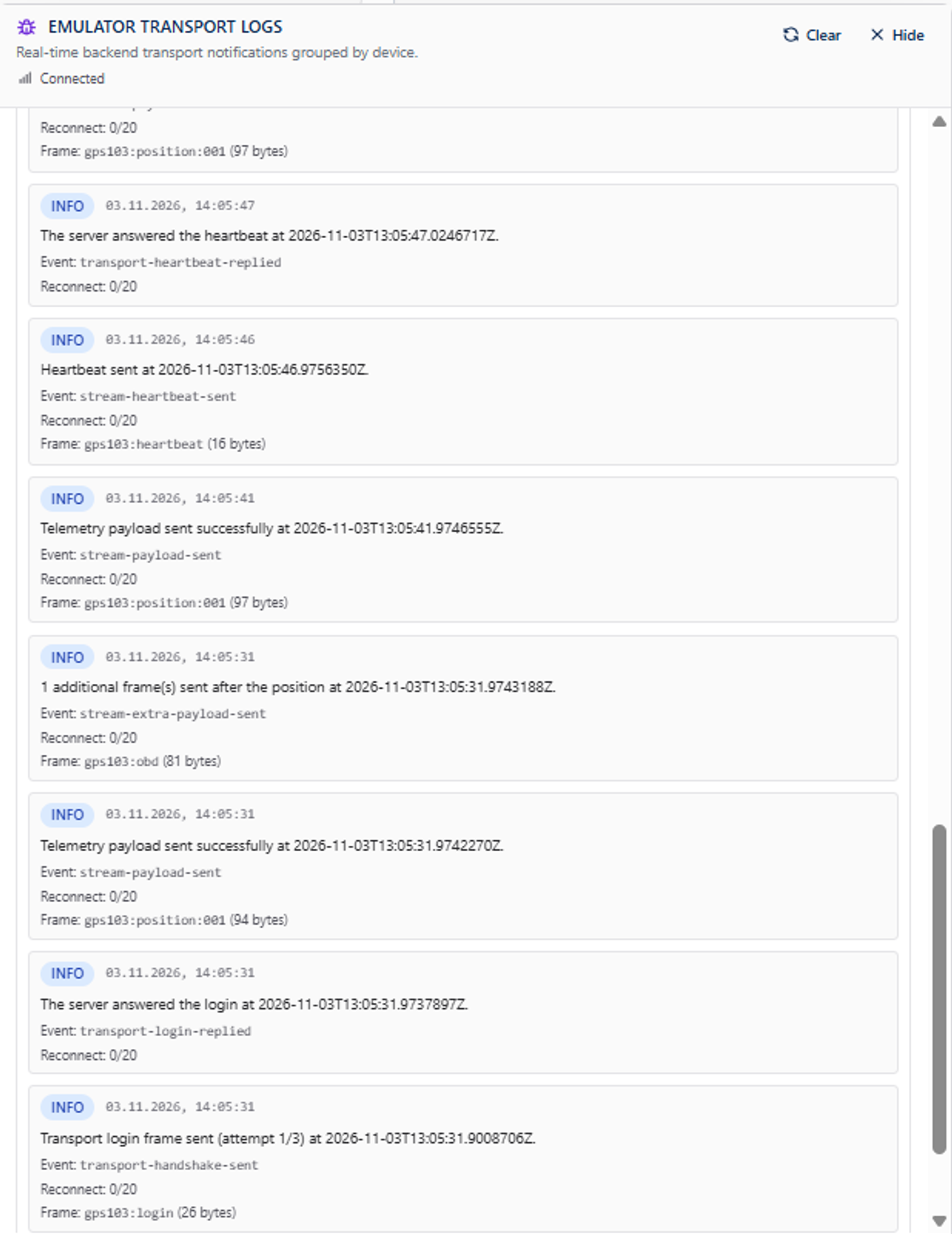
In Telemify, create a device with the protocol GPS103 (listed under "Coban (TK103 family)"), the same IMEI, your server and port 5001, and a route. Start it, and the Emulator Debugging Tool shows the whole session.
OBD Data and the Odometer Fix
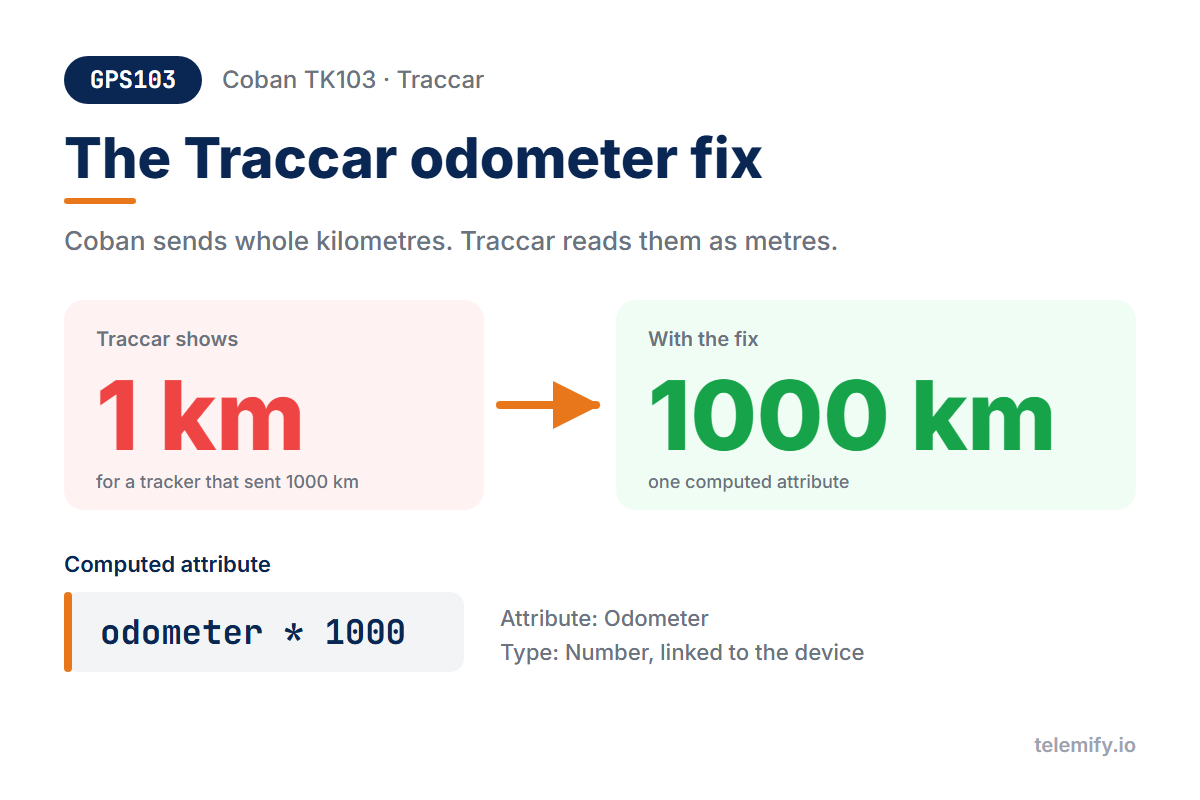
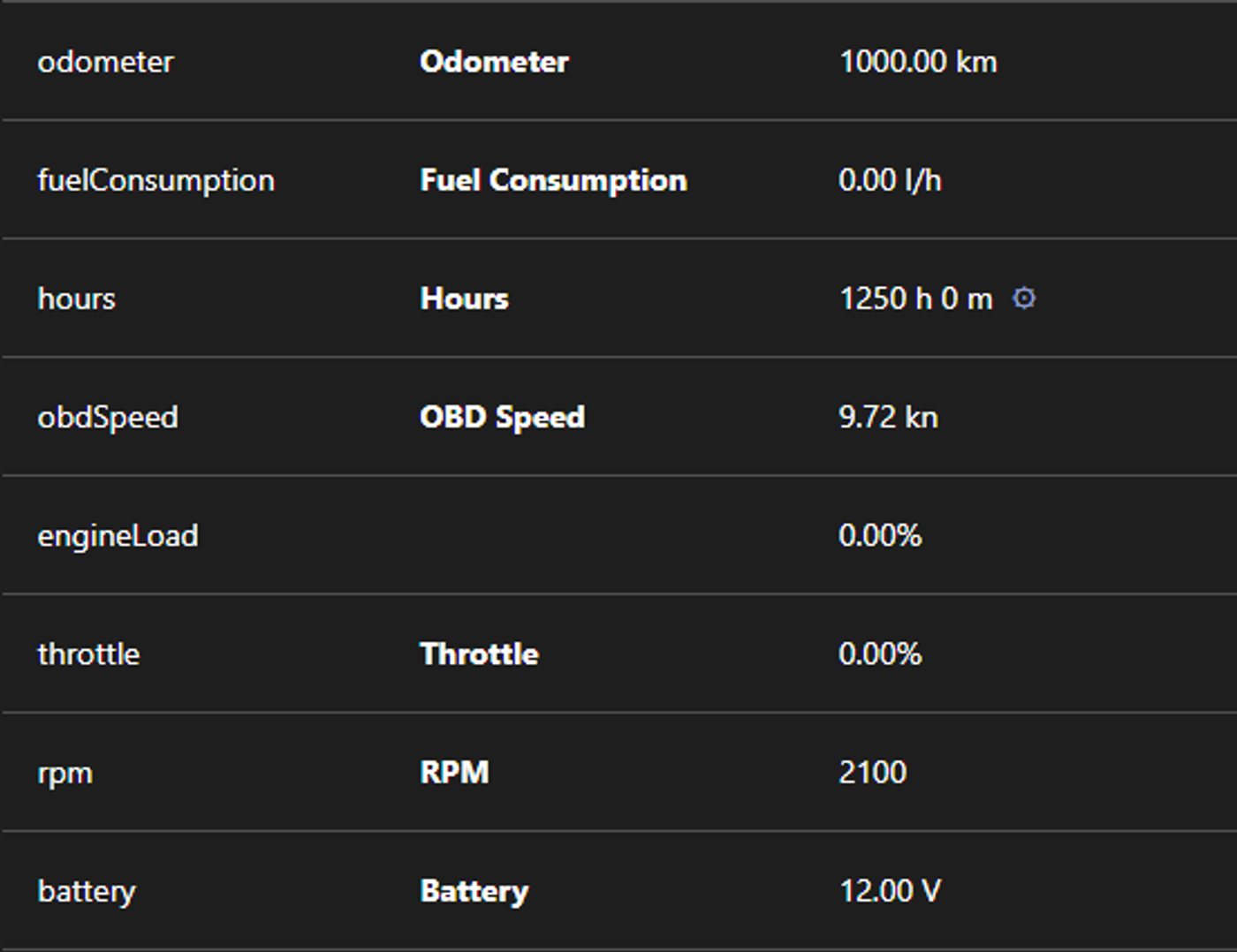
GPS103 sends vehicle data in a separate OBD line: odometer, engine hours, RPM, engine load, throttle, coolant temperature and battery voltage. The odometer is in whole kilometres, as on real Coban devices - but Traccar stores the number as metres. Set it to 1000 km and Traccar shows 1 km.
The fix takes a minute:
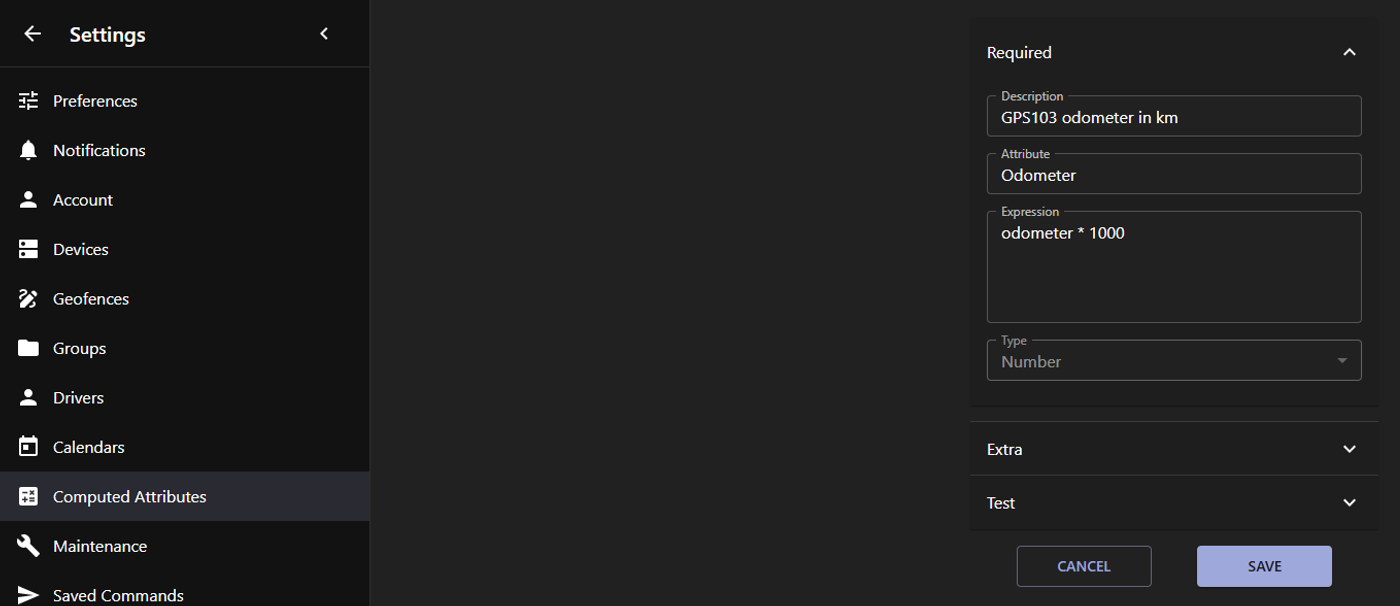
- In Traccar, open Settings → Computed Attributes and add a new one.
- Give it a description, choose the attribute Odometer and enter the expression
odometer * 1000. Traccar sets the type to Number for you. - Link it to your Coban devices in each device's Connections.
Only the OBD lines carry an odometer, so ordinary positions are left untouched.
Alarms to Try
Schedule them in Telemify's Alarms & Events tab and check that Traccar raises the matching event: help me (SOS), ac alarm (power cut), door alarm, stockade (geofence), low battery and accident alarm.
How the protocol works line by line: GPS103 protocol explained.