GPS103 Protocol Explained: How Coban TK103 Trackers Log In and Report
How the GPS103 protocol of Coban TK103 trackers works - login and heartbeat replies, positions, alarms, OBD data - and how to test it without a device.
GPS103 is the text protocol of Coban trackers - the GPS-103, TK103-2B, GPS303 and TK303 series - and of countless clones. It's one of the oldest protocols Traccar supports (port 5001), and every message is readable text ending in a semicolon.
The Session
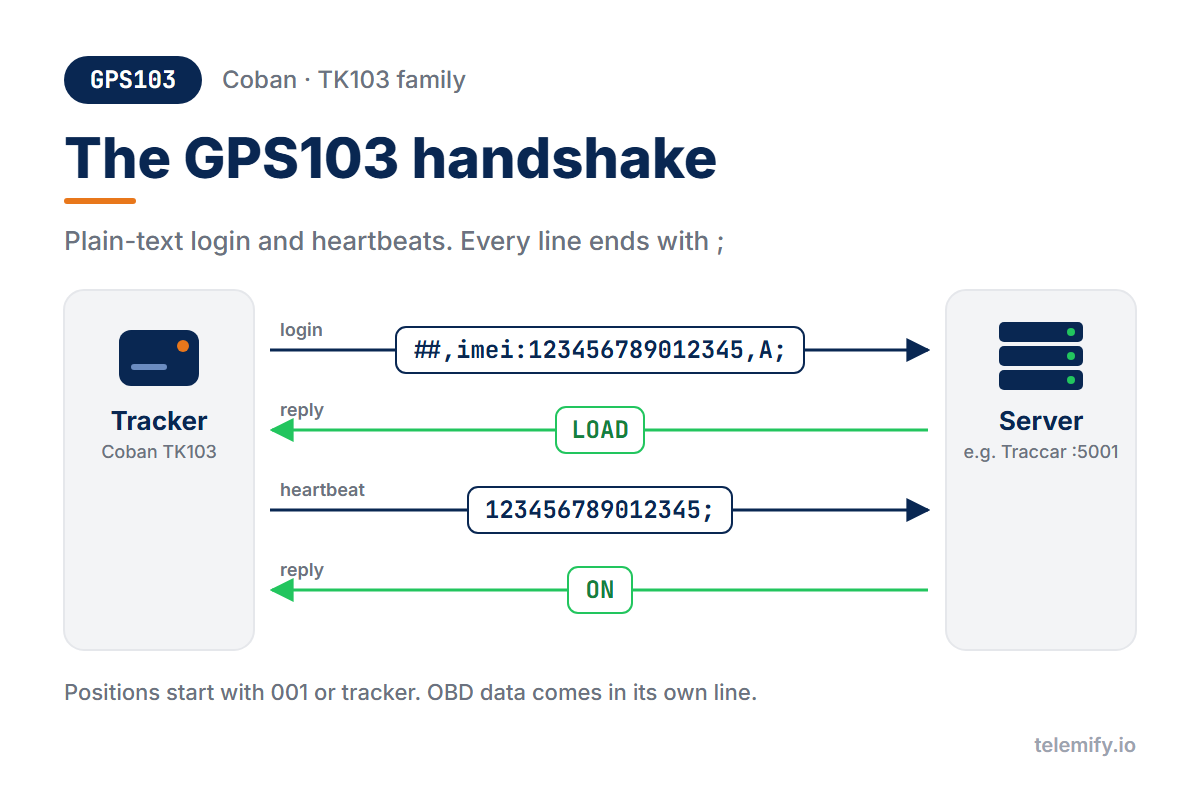
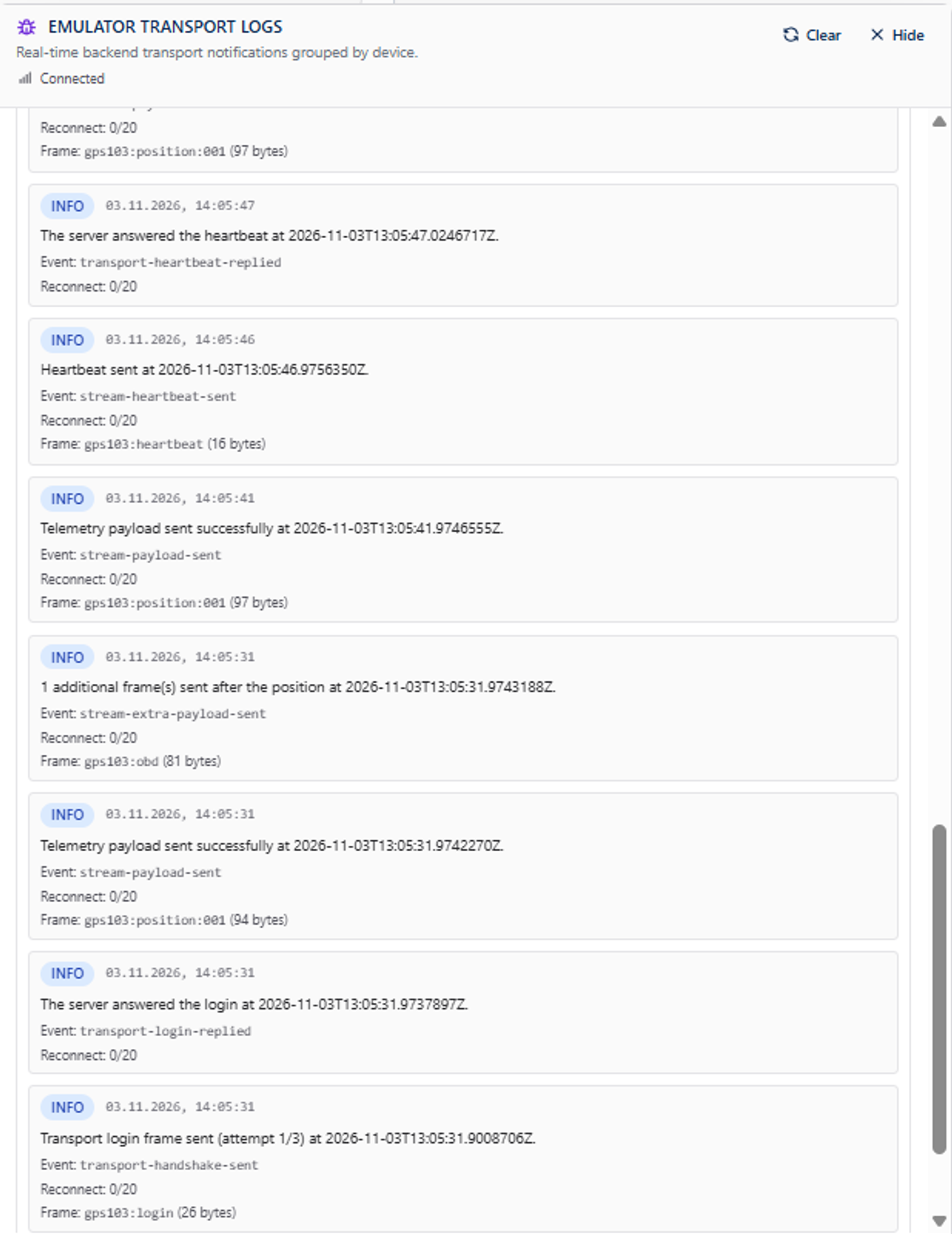
GPS103 has a real handshake, in plain text:
##,imei:123456789012345,A; - the login, answered with LOAD
123456789012345; - the heartbeat, answered with ON
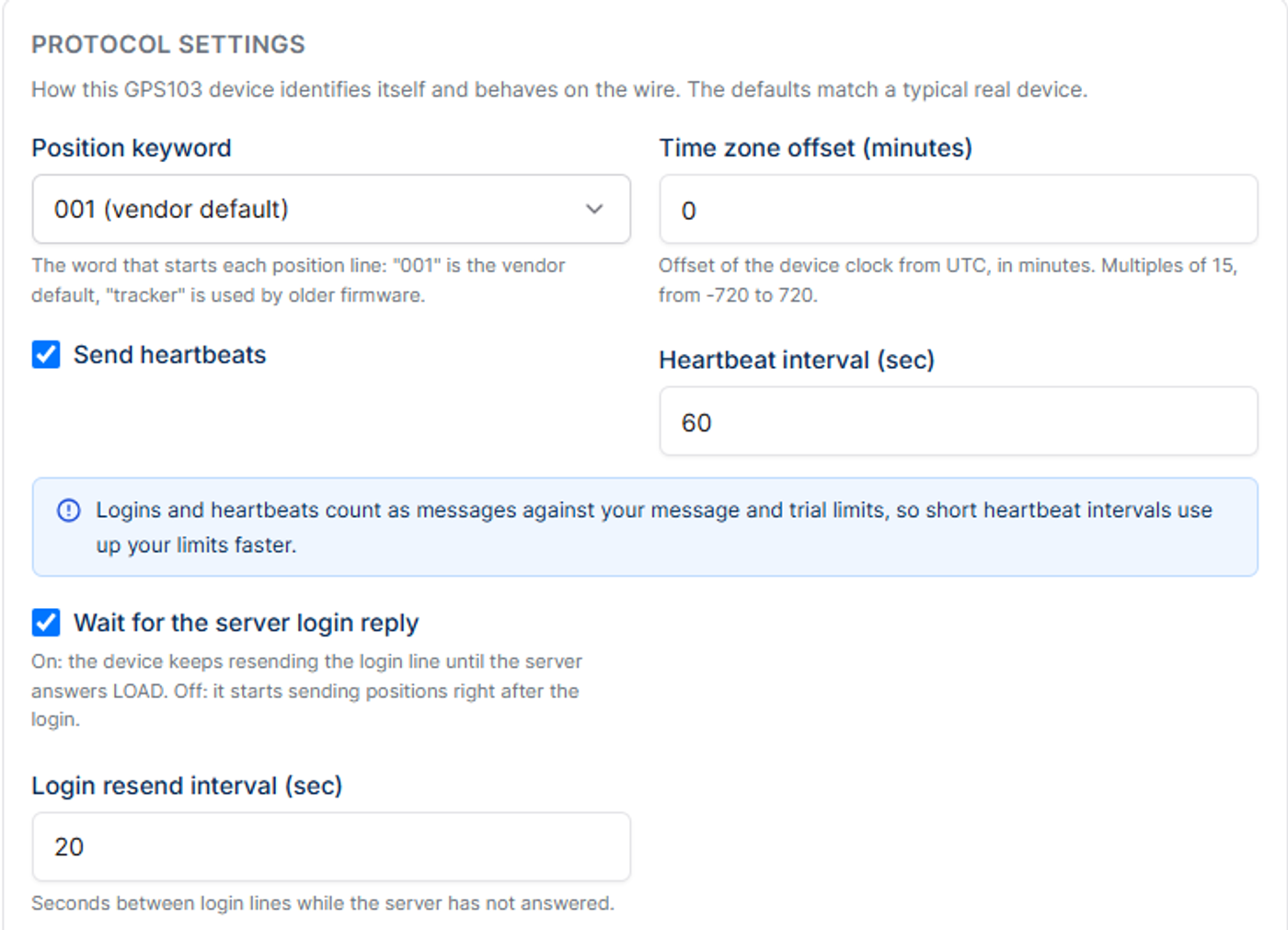
A real device keeps resending the login until it gets LOAD, then sends a heartbeat about every 60 seconds and reconnects after a few unanswered ones. The replies have no terminator, so match LOAD and ON as plain text in the stream.
Position Lines
imei:123456789012345,001,2611030830,,F,083045.000,A,5213.7820,N,02100.7320,E,11.66,87.00;
001- the keyword. Newer firmware sends001, older firmwaretracker. Alarms replace it:help me(SOS),low battery,speed,stockade(geofence),ac alarm(power cut),door alarmand more.2611030830- date and time in the device's local time zone083045.000- time in UTC11.66- speed in knots87.00- course
Optional fields can follow the course: altitude, ignition (ACC), door, two fuel levels and temperature.
Field Quirks That Break Parsers
- Two clocks - the date field is local time and the time field is UTC. Traccar works out the device's time zone from the difference.
- Knots - speed isn't km/h, just like in H02.
- Positional extras - the optional fields have fixed slots. If you send any, keep the empty slots in place: flespi closes the connection on a shortened set.
- Strict endings - every message ends with
;.
OBD Data
The Coban protocol also defines a separate OBD line with odometer, engine hours, RPM, engine load, throttle, coolant temperature and battery voltage. The odometer is in whole kilometres - but Traccar stores it as metres, so 1000 km shows up as 1 km. The fix is one computed attribute; see Coban TK103 on Traccar.
Testing Without a Device
Telemify emulates the full GPS103 session: login, heartbeats, positions along a route, ignition that follows the driving, alarms on a timeline and the OBD line. In Protocol Settings you choose the Position keyword (001 or tracker), the device clock's time zone offset, and whether to wait for the server login reply before sending positions.
Need a server? Set up Traccar in Docker - GPS103 uses port 5001. Comparing protocols? Read Teltonika vs GT06 vs H02 vs GPS103.