How to Connect Teltonika Trackers to Traccar and Test It Without a Device
Connect Teltonika trackers to Traccar on port 5027 - how the IMEI handshake and AVL IDs work there - and test the whole setup without a physical device.
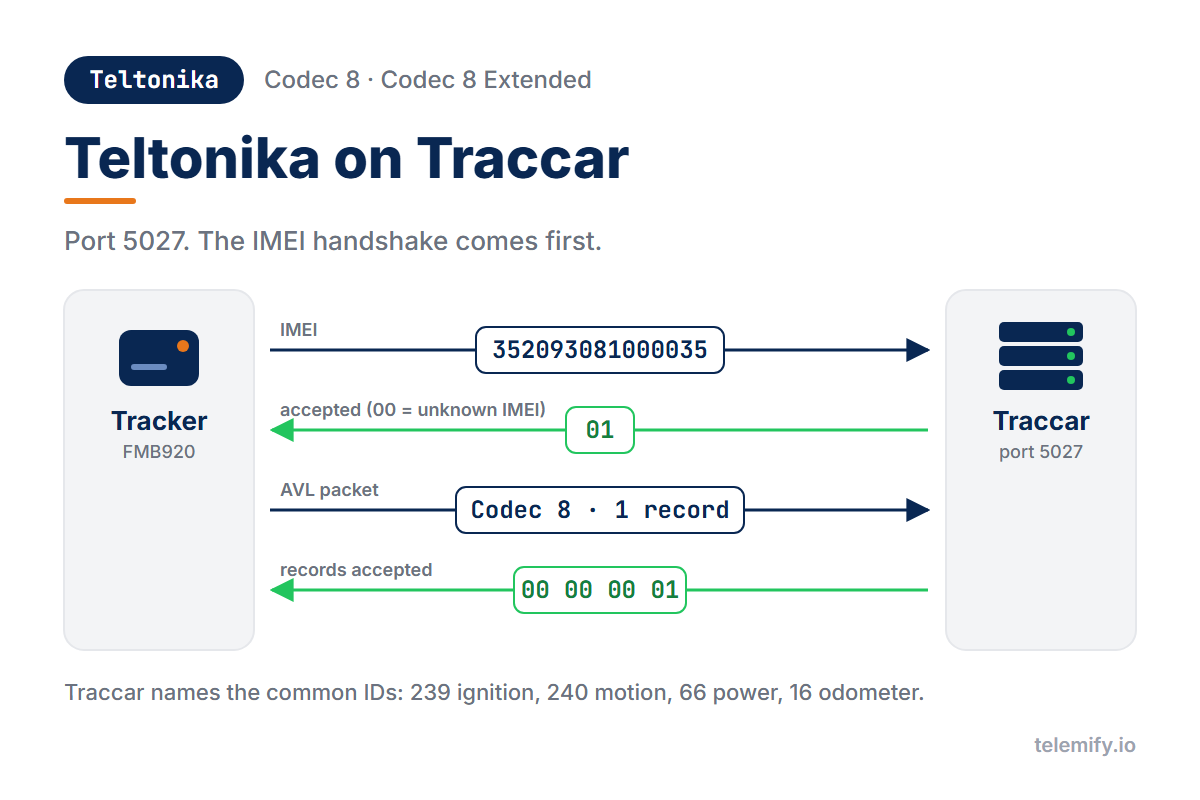
Traccar is one of the most popular open-source tracking servers, and it decodes Teltonika's Codec 8 and Codec 8 Extended out of the box on port 5027. Before you point a fleet of FMB devices at it, it helps to know what Traccar does with each part of the conversation.
Setup
In Traccar, add a device whose Identifier is the tracker's 15-digit IMEI. On a real Teltonika device, set the server domain, port 5027 and TCP in Teltonika Configurator - the same steps as for any custom TCP server.
The Handshake on Traccar
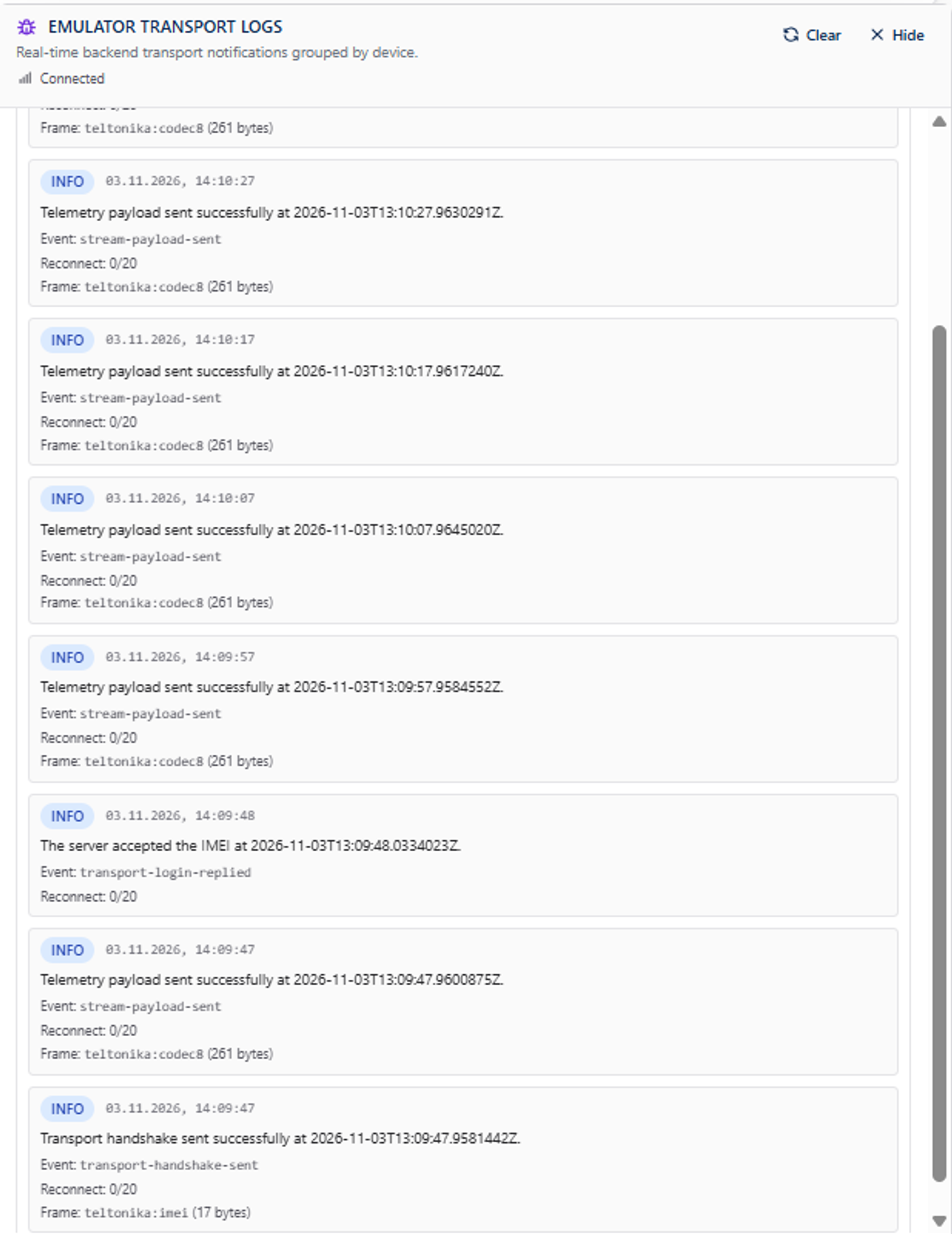
A Teltonika device starts by sending its IMEI. Traccar answers 01 if it knows the device and 00 if it doesn't - so a forgotten registration shows up as a rejected IMEI, not as a mystery.
After that, every AVL packet gets a 4-byte acknowledgement with the number of records Traccar accepted.
How AVL IDs Show Up in Traccar
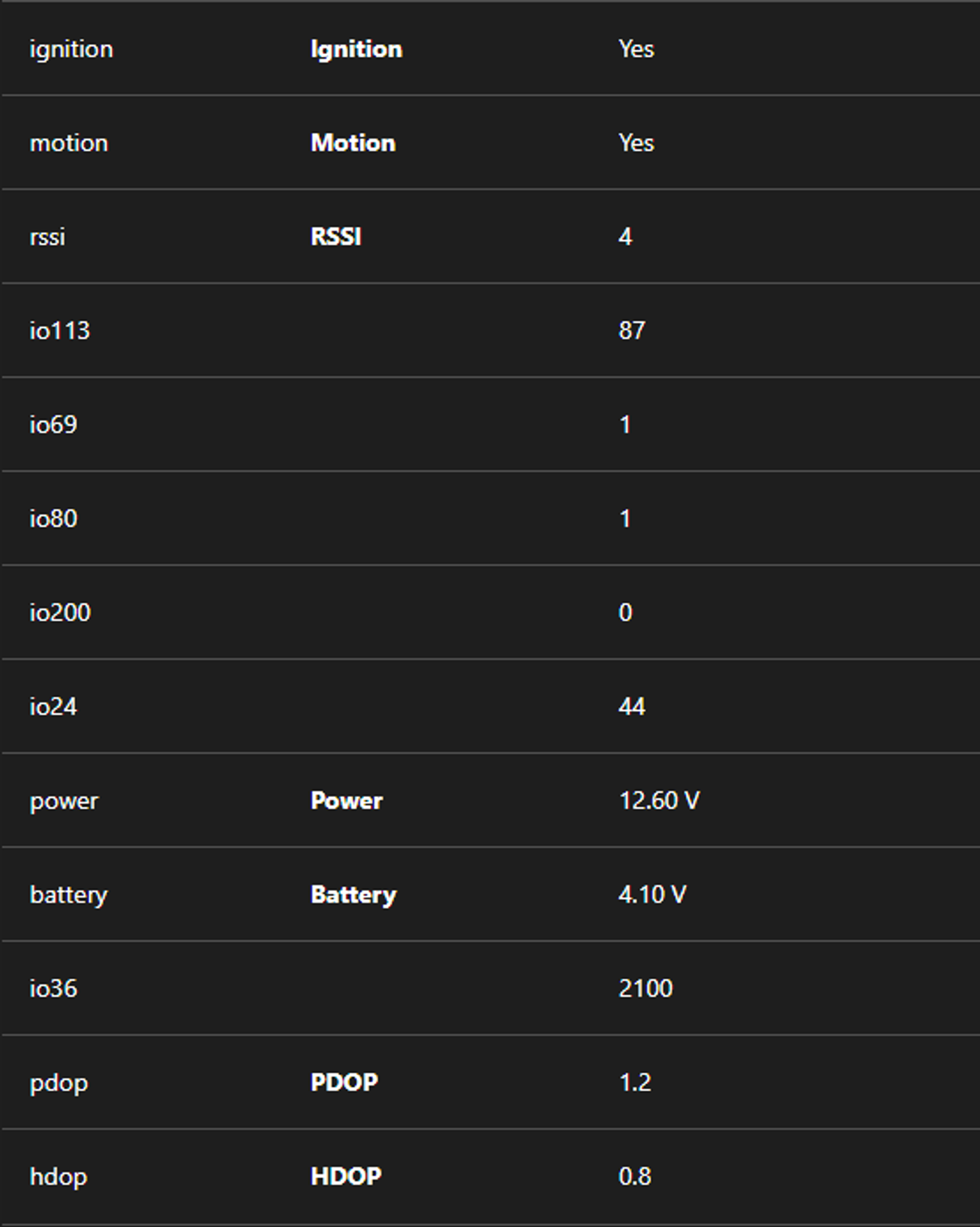
Traccar gives the common IO elements readable names:
- AVL ID 239 -
ignition - AVL ID 240 -
motion - AVL ID 16 -
odometer - AVL ID 21 -
rssi - AVL ID 66 -
power(external voltage) - AVL ID 67 -
battery(battery voltage)
Everything else appears as io plus the ID, for example io69. A few IDs, such as 113 (battery level), get a name only for some Teltonika model families. If your platform reads data through Traccar's API, these are the names to map.
What to Test Without Hardware
Telemify connects to Traccar exactly like a Teltonika device. Useful checks:
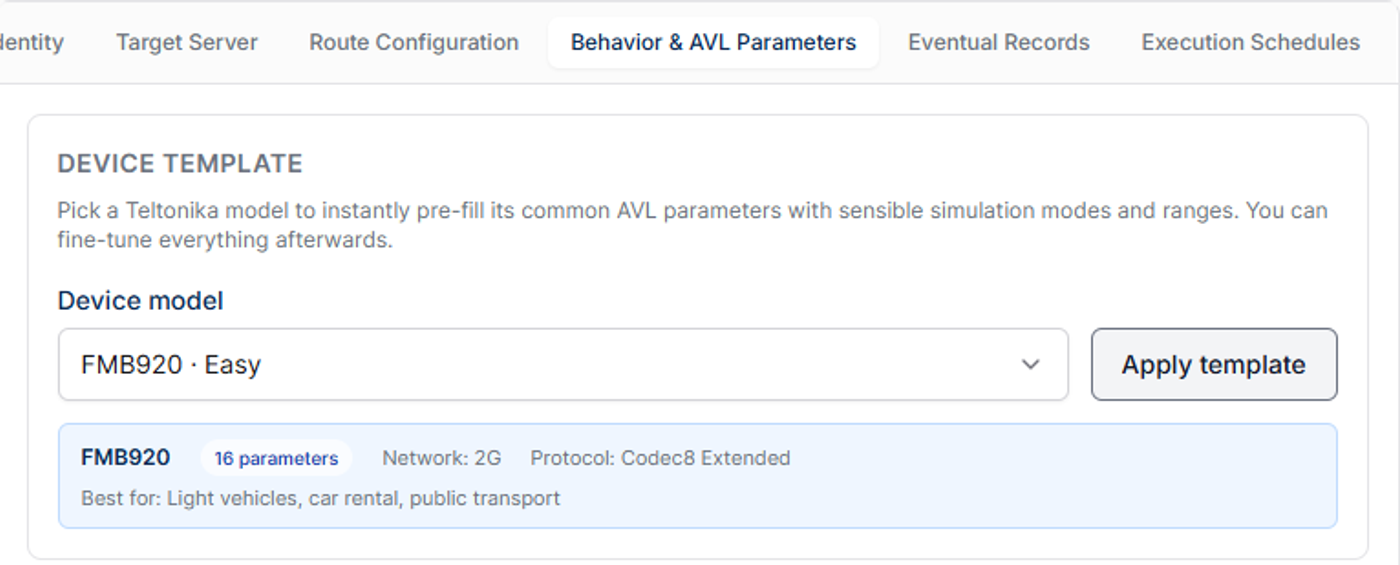
- Device templates - pick a model such as FMB920 or FMC130 and send its typical parameter set.
- Any AVL ID - add advanced AVL parameters and see how Traccar names them, or doesn't.
- Eventual records - crash, towing, over speeding and other high-priority records, fired on a timeline.
- DTC fault codes - real OBD-II codes, sent with Codec 8 Extended.
- Rejected IMEIs - start a device Traccar doesn't know. By default Telemify shows a warning and keeps sending; with Stop the run when the server rejects the IMEI turned on, the run ends with an error.
New to Traccar? Set it up in Docker first. Comparing platforms? Read how flespi works with Teltonika devices.