Blog
Product updates, developer guides, and telematics tutorials.
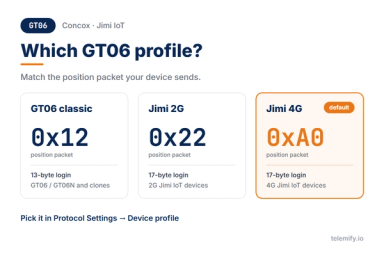
Concox and Jimi IoT Trackers: Pick the Right GT06 Profile and Test Without Hardware
Concox and Jimi IoT trackers speak different GT06 dialects. Pick the right profile, understand the login ACK and test your platform without hardware.
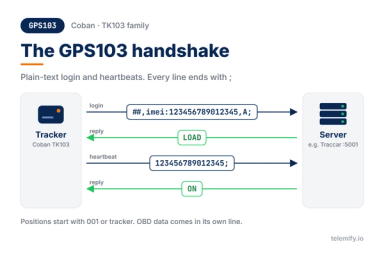
GPS103 Protocol Explained: How Coban TK103 Trackers Log In and Report
How the GPS103 protocol of Coban TK103 trackers works - login and heartbeat replies, positions, alarms, OBD data - and how to test it without a device.
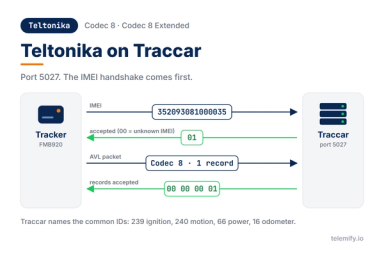
How to Connect Teltonika Trackers to Traccar and Test It Without a Device
Connect Teltonika trackers to Traccar on port 5027 - how the IMEI handshake and AVL IDs work there - and test the whole setup without a physical device.
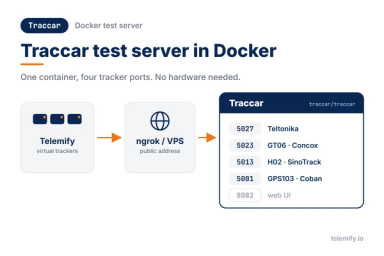
How to Set Up a Traccar Test Server in Docker for GPS Tracker Testing
Run Traccar in Docker, open the right ports and feed it data from virtual Teltonika, GT06, H02 and GPS103 trackers - no hardware needed.
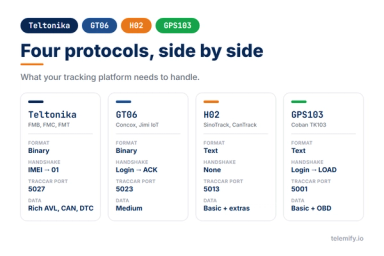
Teltonika vs GT06 vs H02 vs GPS103: Which Tracker Protocols Should Your Platform Support?
Teltonika, GT06, H02 and GPS103 side by side - format, handshake, heartbeats, data and ports - and what each one means for your tracking platform.
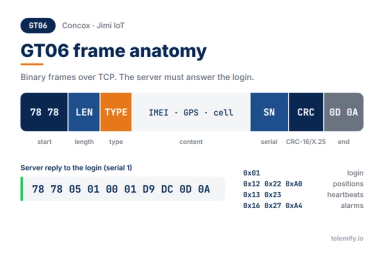
GT06 Protocol Explained: How Concox-Style Trackers Talk to Your Server
How the GT06 protocol used by Concox and Jimi IoT trackers works - frames, login ACK, heartbeats, alarms - and how to test a decoder without a device.
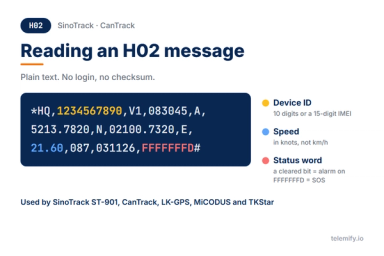
H02 Protocol Explained: The Text Format Behind SinoTrack and CanTrack Trackers
How the H02 text protocol of SinoTrack and CanTrack trackers works - fields, active-low alarm bits, heartbeats - and how to test it without a device.
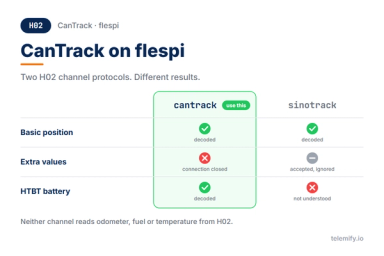
CanTrack Trackers on flespi: Which H02 Channel to Use and What Gets Through
flespi has two H02 channel protocols, cantrack and sinotrack, and they read different things. Which to use for CanTrack trackers and what gets through.
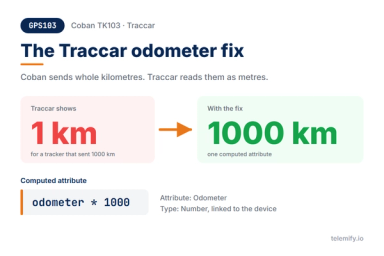
Coban TK103 on Traccar: GPS103 Setup, OBD Data and the Odometer Fix
Set up Coban TK103 trackers on Traccar with the GPS103 protocol on port 5001, read their OBD data and fix the odometer that shows 1000 km as 1 km.
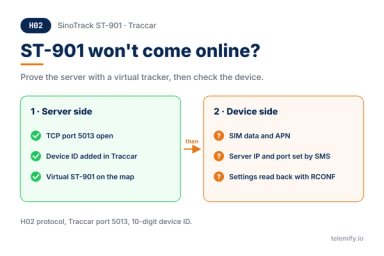
SinoTrack ST-901 on Traccar: Test Your Server Before the Tracker Arrives
SinoTrack ST-901 won't show up in Traccar? Prove your server works with a virtual ST-901 first, then fix the device side. H02 protocol, port 5013.

Teltonika Codec8 vs Codec8 Extended - What's the Difference and When Does It Matter
Codec8 and Codec8 Extended share the same outer structure but differ in IO element layout. Know the difference before your parser silently breaks.
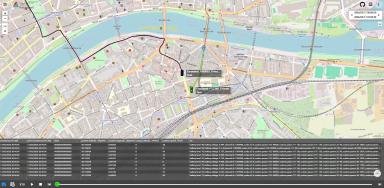
How to Simulate a Moving Vehicle in a Telematics Integration Test
Static GPS coordinates aren't enough. Learn how to simulate realistic vehicle movement for telematics integration tests - without a real car.
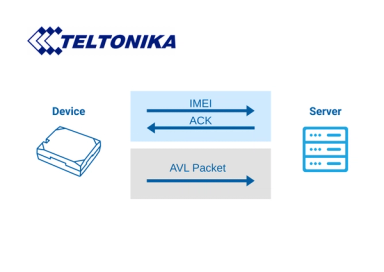
How to Send Teltonika Telemetry to a Custom TCP Server
A practical guide to receiving Teltonika telemetry on a custom TCP server - IMEI handshake, Codec8 parsing, ACK format, and how to test without hardware.
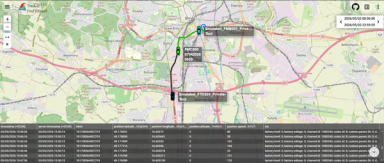
How to Test a Teltonika GPS Integration Without Physical Hardware
Stop waiting for hardware. Test your Teltonika GPS integration from day one using a software emulator that sends real Codec packets to your server.
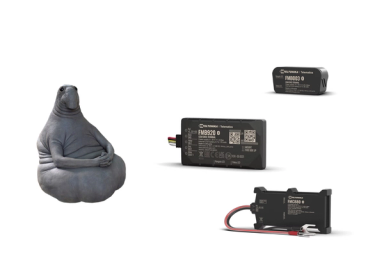
Why Telematics Developers Waste Weeks Waiting for Test Devices - and How to Fix It
Hardware delays cost telematics teams weeks of development time. Learn how to decouple your workflow from physical devices and ship faster.
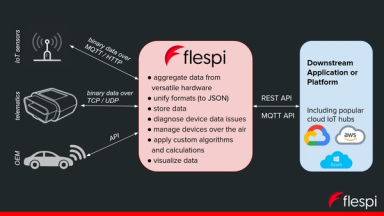
What is Flespi and How Does It Work with Teltonika Devices
What Flespi is, how it fits into a Teltonika telematics stack, and how to test your Flespi integration without waiting for physical hardware.
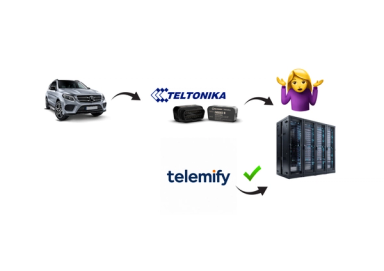
Testing Teltonika Codec8 AVL Data Without a Real Device
Test your Teltonika Codec8 AVL parser without a physical device. Validate handshake behaviour, IO parameters, and edge cases entirely in software.
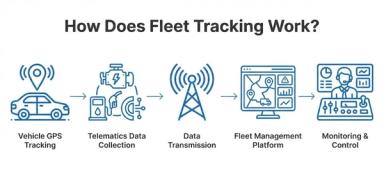
How Fleet Tracking Systems Receive and Process Telemetry Data
From GPS sensor to dashboard: how fleet tracking systems collect, encode, transmit, parse, and process Teltonika telemetry data.